
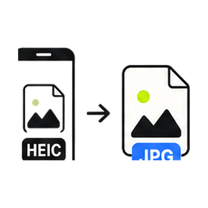
HEIC to JPG Converter

Convert iPhone HEIC photos to JPG that opens anywhere - or to lossless PNG for editing. Decoded on your device, never uploaded.

Drop your image here

or click to browse — pasting a screenshot works too

HEIC, HEIF up to 25MB · select multiple files with Pro
Processed on this device. Never uploaded.
Batch processing is Pro

Process the whole folder at once.

You selected multiple files — we loaded the first one for free. GenClean Pro processes the entire batch locally and hands you one ZIP, with no ads.

  • Batch queues and one-click ZIP export
  • No ads, ever
  • Every future tool included
  • One payment - $9 lifetime
Unlock Pro
How it works

HEIC to JPG in 4 steps

  1. Drop a HEIC or HEIF photo onto the tool or click Choose File.

  2. The photo is decoded on your device - large iPhone photos take a few seconds.

  3. Adjust the JPG quality if you want a smaller file.

  4. Download a JPG that opens everywhere.

When to use it

iPhones save photos as HEIC, which many apps, sites, and Windows PCs still can't open. This converter decodes HEIC right in your browser - the decoder itself runs on your device, so unlike most "free HEIC converters", your photos are never sent to a server.

  • Open iPhone photos on Windows PCs and older software.
  • Attach photos to forms and portals that reject HEIC uploads.
  • Convert a whole camera-roll export in one batch with Pro.

Format & quality notes

  • Decoding happens locally via a bundled HEIF decoder - expect a few seconds for large photos, since your device does the work a server would normally do.
  • The default quality (92%) keeps iPhone photos visually identical.
  • EXIF metadata, including GPS location, is not carried over - the JPG comes out clean.
FAQ

Questions about the HEIC to JPG Converter.

Why can't my computer open HEIC files?

HEIC is a newer Apple-favored format with licensing complications, so many apps and older Windows versions never added support. JPG opens everywhere, which is why this conversion is so common.

Is the photo really not uploaded?

Really. The HEIF decoder is downloaded as part of the page and runs in your browser. You can watch the network tab - the photo never leaves your device.

Why does conversion take a few seconds?

Your device is doing the decoding that a cloud converter would do on its servers. A 12-megapixel iPhone photo typically takes 2-5 seconds depending on your hardware.

Does it keep Live Photos or bursts?

The still image is converted. Live Photo video parts and burst sequences aren't included in a JPG.