
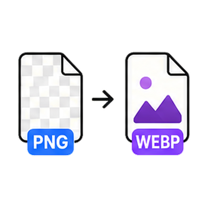
PNG to WebP Converter

Keep transparency, lose the file size. Free, no account - and your file never leaves this browser tab.

Drop your image here

or click to browse — pasting a screenshot works too

PNG up to 25MB · select multiple files with Pro
Processed on this device. Never uploaded.
Batch processing is Pro

Process the whole folder at once.

You selected multiple files — we loaded the first one for free. GenClean Pro processes the entire batch locally and hands you one ZIP, with no ads.

  • Batch queues and one-click ZIP export
  • No ads, ever
  • Every future tool included
  • One payment - $9 lifetime
Unlock Pro
How it works

PNG to WebP in 4 steps

  1. Drop a PNG onto the tool or click Choose File.

  2. The WebP is created instantly - transparency is preserved automatically.

  3. Fine-tune quality and watch the size savings update live.

  4. Download the WebP.

When to use it

WebP is the only mainstream format that gives you PNG-style transparency at JPG-style file sizes. Convert your PNGs locally - transparency is preserved and nothing is uploaded.

  • Serve logos and UI graphics with transparency at a fraction of PNG size.
  • Speed up landing pages that use large transparent hero images.
  • Convert sticker and asset packs in one batch with Pro.

Format & quality notes

  • Transparency survives the conversion - WebP supports full alpha channels.
  • Graphics with flat colors and text compress extremely well; expect 60-80% size reductions.
  • Photographic PNGs shrink the most, since PNG is a poor fit for photos to begin with.
FAQ

Questions about the PNG to WebP Converter.

Is transparency preserved?

Yes. WebP supports full alpha transparency, so transparent PNG areas stay transparent.

How much smaller is WebP than PNG?

For graphics, 60-80% smaller is common. For photographic PNGs the savings are even larger.

Does the image leave my device?

No. The conversion is done by your browser on your machine.