
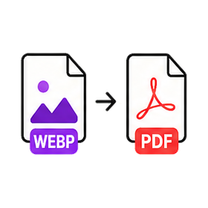
WebP to PDF Converter

Web-saved images into universal documents. Free, no account - and your file never leaves this browser tab.

Drop your image here

or click to browse — pasting a screenshot works too

WEBP up to 25MB · select multiple files with Pro
Processed on this device. Never uploaded.
Batch processing is Pro

Process the whole folder at once.

You selected multiple files — we loaded the first one for free. GenClean Pro processes the entire batch locally and hands you one ZIP, with no ads.

  • Batch queues and one-click ZIP export
  • No ads, ever
  • Every future tool included
  • One payment - $9 lifetime
Unlock Pro - $9
How it works

WebP to PDF in 3 steps

  1. Drop a WebP file onto the tool or click Choose File.

  2. The PDF builds instantly, page sized to the image.

  3. Download the PDF.

When to use it

Images saved from the web arrive as WebP, and document workflows still want PDF - normally that means converting twice through some upload service. Here it's one local step: WebP in, PDF out, nothing transmitted.

  • Archive web-saved images in document management systems.
  • Attach WebP product images to formal quotes and invoices.
  • Convert web receipts into filing-ready PDFs.

Format & quality notes

  • One step instead of WebP→JPG→PDF - fewer conversions, less quality loss.
  • Transparency is flattened to a white page.
  • The PDF embeds the image at 92% quality - visually identical.
FAQ

Questions about the WebP to PDF Converter.

Why not convert WebP to JPG first?

No need - this tool decodes the WebP and builds the PDF in one local pass, skipping a lossy intermediate step.

Do PDF viewers care that the source was WebP?

Not at all - the image is embedded in a format every PDF viewer has read for decades.

Is the file uploaded?

No. Everything happens in your browser tab.

Give feedback

Goes straight to the team - no account needed.