
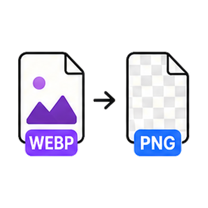
WebP to PNG Converter

Universal compatibility with transparency intact. Free, no account - and your file never leaves this browser tab.

Drop your image here

or click to browse — pasting a screenshot works too

WEBP up to 25MB · select multiple files with Pro
Processed on this device. Never uploaded.
Batch processing is Pro

Process the whole folder at once.

You selected multiple files — we loaded the first one for free. GenClean Pro processes the entire batch locally and hands you one ZIP, with no ads.

  • Batch queues and one-click ZIP export
  • No ads, ever
  • Every future tool included
  • One payment - $9 lifetime
Unlock Pro
How it works

WebP to PNG in 3 steps

  1. Drop a WebP file onto the tool or click Choose File.

  2. The lossless PNG is created instantly - no settings needed.

  3. Download the PNG.

When to use it

Convert WebP images to PNG when you need universal compatibility and transparency. The output is lossless and the conversion runs entirely on your device.

  • Import web assets into design tools that handle PNG more reliably.
  • Keep transparency when moving images into presentations.
  • Archive web images in a stable, universally-readable format.

Format & quality notes

  • Transparency is fully preserved - PNG and WebP both support alpha channels.
  • PNG output is larger than the WebP source; that's the cost of lossless universal compatibility.
  • No metadata is carried over to the output file.
FAQ

Questions about the WebP to PNG Converter.

Is transparency kept?

Yes, transparent areas stay transparent - both formats support full alpha.

Is the conversion lossless?

The PNG stores exactly the pixels decoded from your WebP. If the WebP itself was lossy, PNG preserves it as-is without further loss.

Do I need an account?

No. Single conversions are free and anonymous, processed in your browser.