
It’s a fair question to ask, because a photo of a photo behaves in ways that aren’t obvious - and the honest answer is a bit more nuanced than a flat “no.”
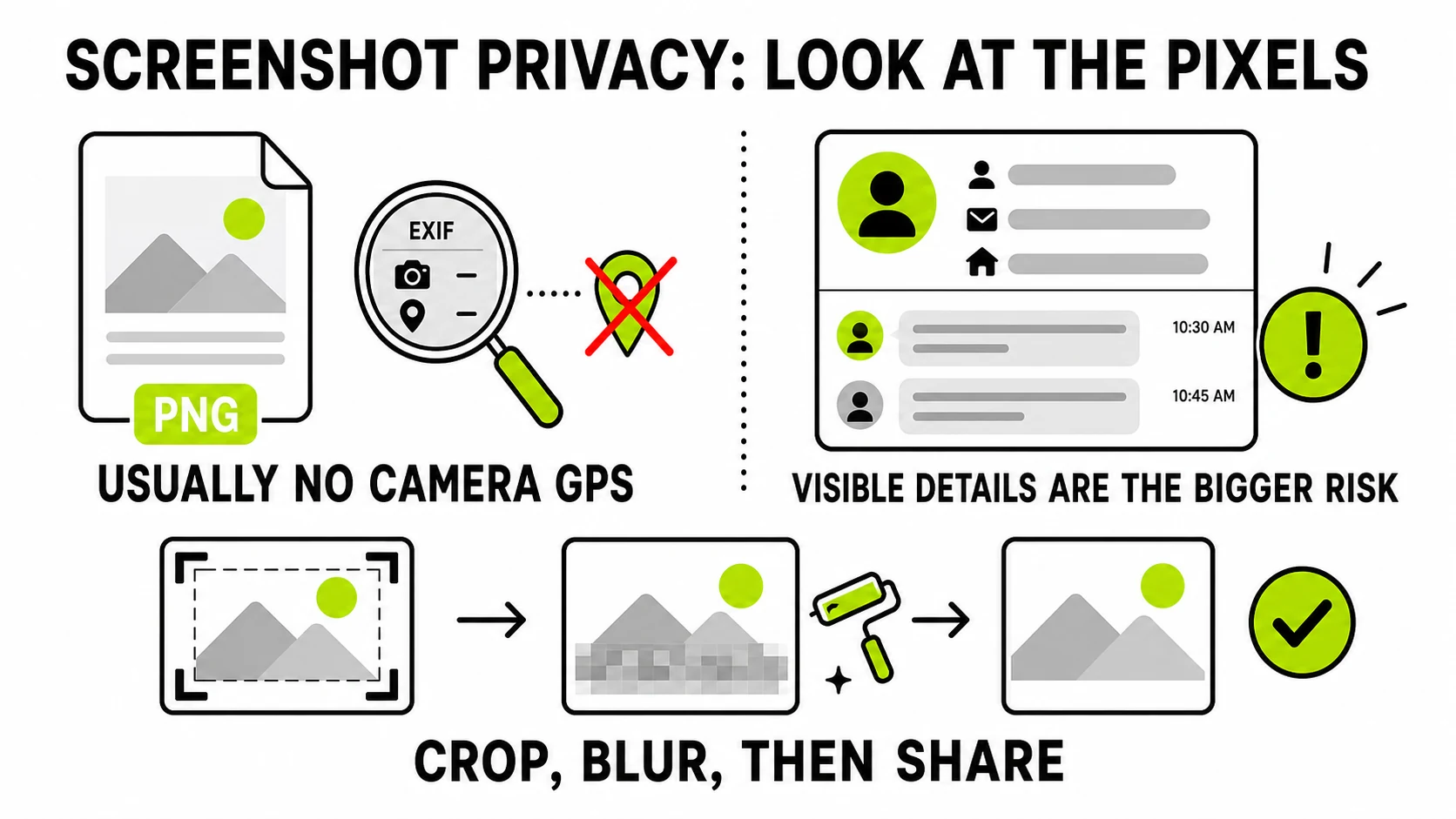
Mostly no - screenshots typically don’t carry the GPS location and camera-model EXIF that phone photos do, because that data comes from a camera sensor at the moment of capture, and a screenshot isn’t a camera capture. But “mostly no” isn’t “definitely nothing,” and the more useful question is usually the wrong one anyway - here’s why.
Why screenshots aren’t like camera photos
EXIF’s location and device fields exist because a physical camera, at the instant of exposure, has access to GPS and lens/sensor information and writes it into the file. A screenshot is the operating system copying pixels already on your screen - there’s no lens, no exposure, no GPS read happening. That’s the mechanical reason screenshots almost never carry the same GPS/camera EXIF block a phone photo does, regardless of platform.
How this differs by platform
The exact behavior depends on the tool that captured the screenshot, and there’s no single answer that covers every OS:
- Phone screenshots (iOS and Android both) are typically saved as PNG with no camera-style EXIF block - there’s no camera involved, so nothing populates those fields.
- Desktop screenshot tools vary more - some annotation and screen- capture utilities embed a software or version tag; plain OS-level screenshot shortcuts generally don’t add much beyond the file format’s minimum requirements.
- Screen recordings, when a still frame is exported from video, inherit whatever metadata the recording or export tool adds - which is its own separate question from a single tapped screenshot.
The only way to know for a specific file is to look at that file, which is the whole reason a viewer is more useful here than a general rule.
What a screenshot can still carry
“No camera EXIF” isn’t “no metadata at all.” Two things can still be attached to a screenshot file:
- File-system metadata - the created and modified dates your OS tracks for any file, screenshot or not. This lives outside the image data itself and isn’t something an image editor touches.
- Embedded text chunks. PNG (the format most screenshot tools default to) supports small text fields inside the file itself - the same mechanism some AI image generators use to embed the prompt that made the picture. Some screenshot and annotation tools use these fields to tag which app or version created the file. Whether any given screenshot has this depends entirely on the tool that took it - there’s no universal answer, which is exactly why checking the specific file beats assuming.
EXIF ViewerSee exactly what a specific screenshot is carrying - GPS (rare for screenshots), software tags, and any embedded text.
Check a screenshot →The actual risk isn’t the metadata
Here’s the part worth sitting with: a screenshot’s real privacy exposure is almost never in its metadata. It’s in what you captured. A screenshot of a group chat shows names next to messages. A screenshot of an email shows an address in the header, or a phone number in a signature. A screenshot of a delivery confirmation shows where you live and when you’ll be there. A screenshot meant to show one line of a conversation often carries the sender’s full name, profile photo, and everything above and below the line that mattered, because cropping tightly takes an extra step people skip.
None of that is metadata - it’s the picture itself, in full view, no viewer tool required to see it, readable by literally anyone the image reaches. Worrying about hidden EXIF on a screenshot while posting the whole chat thread visibly is solving the smaller problem and skipping the bigger one.
If a screenshot needs to go out with a name, a face, or an address visible in it, blur or black out that specific region before sharing - the fastest fix for the thing that’s actually exposed.
Screenshot vs. camera photo: the actual difference
- Camera photo: metadata risk (GPS, device) is the bigger one, because it’s invisible and precise - the visible content is usually just what you meant to photograph.
- Screenshot: metadata risk is small and inconsistent; the visible content is the entire risk, because a screenshot by definition captures everything that happened to be on screen, including things outside what you meant to share.
That’s the practical takeaway: treat a camera photo’s metadata as the thing to check, and treat a screenshot’s content as the thing to check - crop tightly, black out names, and don’t assume “it’s just a screenshot” means it’s automatically clean.
This distinction matters most for support requests and bug reports, where screenshots get shared constantly and casually. A screenshot sent to a stranger on a forum to illustrate a software bug can easily also contain an open email tab, a calendar entry, or a browser bookmark bar with account names visible - none of it relevant to the bug, all of it now public. Cropping the capture down to just the relevant window, rather than the whole screen, avoids this by construction rather than requiring you to remember to check afterward.
If you want to be thorough anyway
Running a screenshot through a metadata cleaner before sharing costs nothing and removes whatever text chunks or residual fields it does carry, on the small chance there’s something there. It’s a reasonable habit for anything leaving your device - just not a substitute for looking at what’s actually on screen first.
Everything above - viewing, cleaning, blurring - runs locally in the browser. The screenshot doesn’t need to reach a server to find out what it contains.