
If you generate images with Stable Diffusion or similar tools, there’s a fair chance your full prompt - including the negative prompt, seed, sampler, and model settings - is written inside the PNG file itself. Share the file, and you share the recipe. You can check any generated image in seconds, and produce a clean copy that keeps the pixels but drops the text. Here’s what’s actually in there.
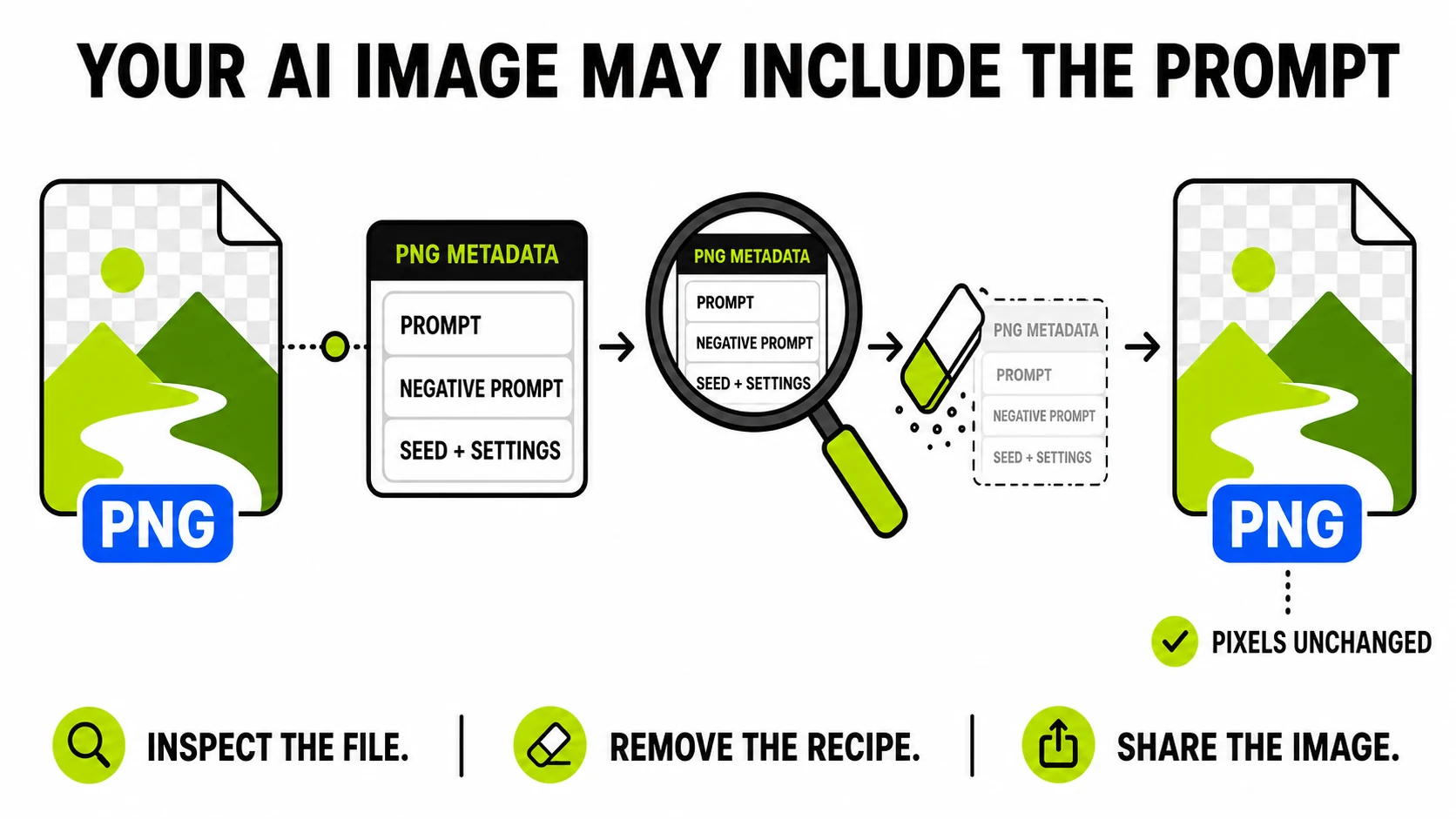
Where AI tools hide the recipe
PNG files support text chunks - a standard mechanism for storing labeled
text alongside the image data. AI tooling adopted it enthusiastically:
Stable Diffusion’s popular interfaces (AUTOMATIC1111, ComfyUI and others)
write generation parameters into chunks with keywords like parameters or
prompt, typically including:
- the full positive prompt, word for word
- the negative prompt
- seed, sampler, step count, CFG scale
- model/checkpoint name, sometimes LoRA details
It’s genuinely useful - drag an old render back into the tool and the recipe comes with it. It’s also a quiet leak the moment the file leaves your machine.
Check what a generated image is carrying
PNG Metadata ViewerShows the full text chunks - prompts included - parsed on your device.
Inspect a PNG →Drop the file in and the viewer lists
every chunk by keyword with its complete contents - a parameters chunk will
display your prompt exactly as the recipient of the file would see it. The
parsing happens in your browser, which is rather the point: checking a
private prompt shouldn’t require uploading it somewhere.
JPG and WebP exports carry metadata too (EXIF/XMP rather than text chunks) - the general EXIF viewer reads those.
When the embedded prompt matters
- Client work. You’ve sold the output; the prompt engineering is your process. Shipping the deliverable with the full recipe embedded is like attaching your project files unasked.
- Products and portfolios. Prompt style is craft for AI-heavy work; the file shouldn’t hand it to whoever right-clicks Save.
- Anything with names in it. Prompts sometimes contain client names, project codenames, or unreleased product references. The image was approved; the prompt never was.
- Privacy in communities. Sharing a render in a Discord or forum shares the chunk too - some communities read them by habit.
None of this is paranoia - it’s just knowing what the file format does.
Share the image, keep the recipe
To produce a copy with the pixels intact and the text gone, run the file through the PNG metadata remover. The clean copy is losslessly identical in appearance - PNG re-encoding preserves every pixel - while the text chunks, timestamps, and any embedded EXIF are dropped. Your original stays untouched, recipe and all, which is exactly what you want for your own archive.
The viewer offers the same thing in one motion: inspect, then hit Remove this metadata and download the clean copy right there.
What this is not
Worth stating plainly: text metadata is data alongside the pixels. Removing it doesn’t touch visible marks, and it doesn’t affect provenance signals that some generators embed within the image itself - those are separate mechanisms, deliberately durable, and not something a metadata tool reads or writes. This is about one specific, common leak: your prompt riding along in plain text with a file you meant to share as a picture.
If you generate regularly, the habit worth building is small: before a render leaves your machine for anywhere public, glance at its chunks. Three seconds, no upload, no surprises.