
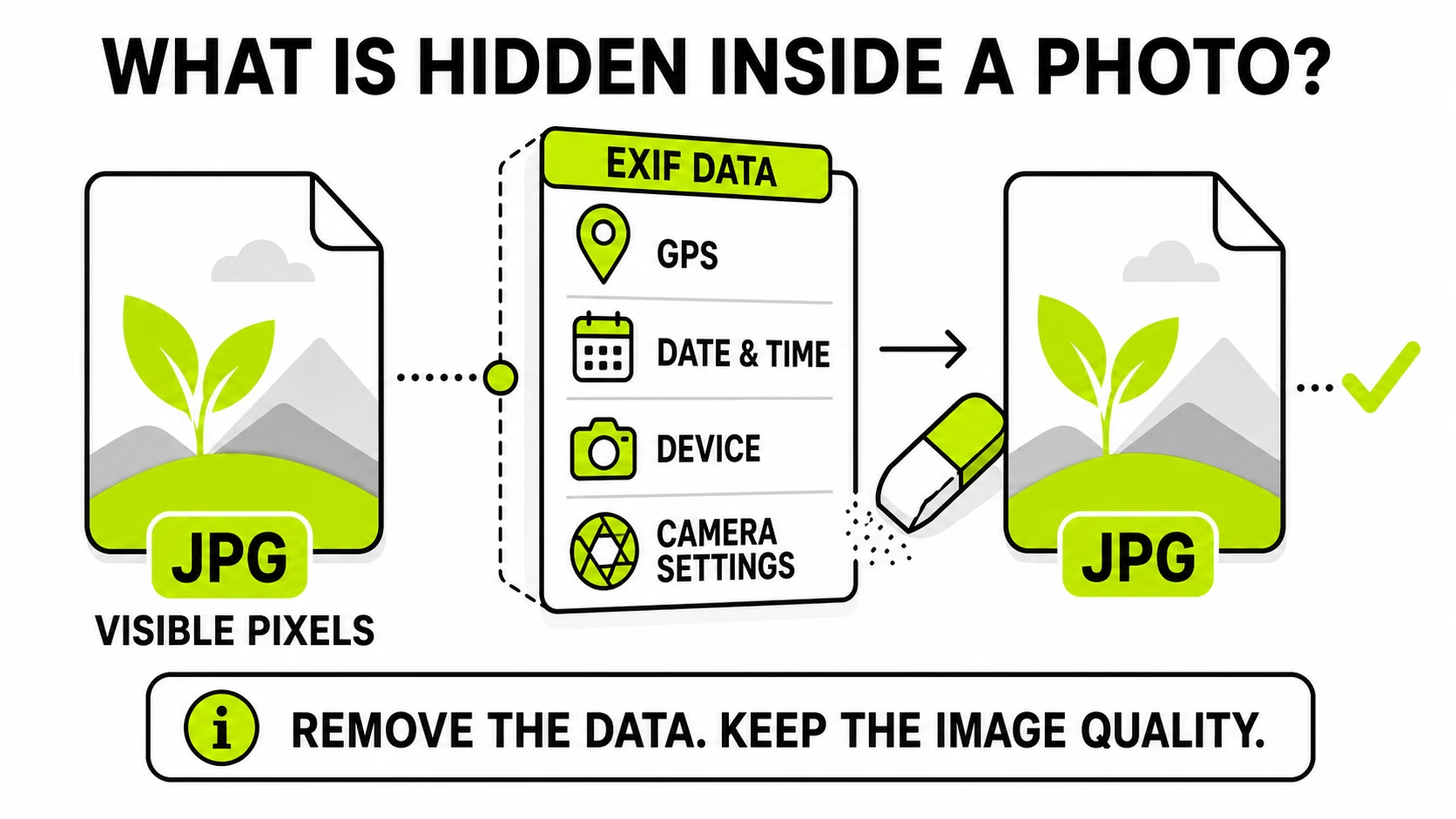
EXIF data is a block of hidden information your camera or phone saves inside every photo: the exact date and time, the device model, camera settings, and - on most phones - the GPS coordinates of where you stood. It travels with the file when you share it, and anyone who receives the file can read it in seconds.
The visible image and this hidden block are stored separately inside the same file, which leads to the two facts that matter most: you can’t see EXIF by looking at a photo, and you can remove it without touching the photo’s quality.
What exactly is stored in EXIF data?
EXIF stands for Exchangeable Image File Format, a standard from the days of digital cameras that phones inherited and expanded. Open a typical iPhone or Android photo and the block contains:
- When: capture date and time, down to the second, often with timezone.
- Where: GPS latitude, longitude, and altitude - precise enough to identify a building - whenever the camera app has location permission.
- What device: manufacturer and model (“Apple iPhone 15 Pro”), sometimes the lens and firmware version.
- How: shutter speed, aperture, ISO, focal length, flash status - the photographic recipe.
- Extras: orientation (which way up the photo goes), a small embedded preview thumbnail, and fields added later by editing software.
Software can stack more metadata on top of EXIF proper: IPTC fields carry captions and copyright, and XMP blocks record edit history - AI tools increasingly use XMP to label generated images. “EXIF” has become the everyday word for the whole hidden layer, and every fix in this article treats it that way.
None of this is secret to machines. Any file manager’s properties panel, any photo app’s info button, and any of a hundred free utilities will list it. The only people surprised by EXIF are the ones who don’t know it’s there.
Is EXIF data a privacy risk?
One field carries almost all of the risk: GPS location. A photo taken at home carries your home coordinates. Sell a couch on a marketplace, email the photos, and the buyer holds your address before you’ve spoken. Post photos from a vacation rental, a school event, a date - same mechanics. Combine location with the capture timestamp and a stranger knows where you were and exactly when.
The rest of the block is lower-stakes but not nothing: device model and serial fields can tie anonymous photos to each other (and to you), and timestamps can contradict a story you thought was harmless to tell.
Whether any of this leaks depends entirely on how the photo travels:
- Stripped for you: Instagram, Facebook, X, and most social feeds remove EXIF from the copies they display.
- Passed through untouched: email attachments, cloud-drive links, “send as file/document” in messengers, marketplace uploads on many smaller platforms, and anything on your own website.
That second list is where people get burned, because the sending experience looks identical either way. If you’re about to share photos through any of those channels, check what a photo carries before it leaves your hands - the first time you see your own address in a file you were about to email, the habit forms instantly.
EXIF ViewerReads the photo on your device and lists every hidden field - GPS is flagged in red. Nothing uploads.
See what your photo reveals →How do I view EXIF data?
On iPhone: open the photo, tap the ⓘ button (or swipe up). iOS shows the date, device, camera settings, and a map pin if location was saved.
On Android: open the photo in Google Photos and swipe up, or tap ⋮ → Details.
On Windows: right-click the file → Properties → Details tab.
On Mac: open the photo in Preview → Tools → Show Inspector → the ⓘ tab (GPS appears as its own tab when present).
The built-in viewers summarize; they don’t show everything. A dedicated viewer lists the complete raw block - useful when you want to know precisely what a recipient would see, including the obscure maker fields the OS panels skip.
How do I remove EXIF data?
Removal is lossless and instant, because the metadata occupies its own segments of the file - deleting them never re-encodes the pixels.
The OS half-measures first. iOS can share a photo with location removed (tap ⓘ → Adjust → No Location, or Options at the top of the share sheet → Location off), but the device model and timestamps still go along. Windows’ “Remove Properties and Personal Information” checkbox is similarly partial and famously inconsistent about what it actually deletes.
The complete fix is to strip the metadata block entirely and share the cleaned copy. For JPGs specifically - the format nearly all shared photos travel as - the format-focused EXIF remover for JPG does the same job with the settings pre-aimed. Either way the visible image is untouched; only the hidden layer goes.
Two habits make cleaning actually protect you. Clean before uploading anywhere, not after - copies that already left carry their metadata forever. And keep your originals: strip the copies you share, so your own library retains the dates and locations that make photos findable later. If you’re purging a whole batch before publishing - a property listing, a product catalog - cleaning them in one pass beats doing it file by file.
What about photos other people send me?
Reading incoming photos is the other half of EXIF literacy. That marketplace seller’s photos may reveal whether the “barely used” bike lives outdoors. A photo with no EXIF at all is a mild signal too: it passed through a stripping platform, a screenshot, or a deliberate cleaning - fine on its own, worth noticing alongside other red flags.
For AI-generated images, the metadata layer is becoming the provenance trail: generators increasingly stamp XMP fields declaring the tool that made the image. We covered what’s inside AI-generated images separately - the short version is that the same viewer that reads EXIF reads those labels too.
The five-second version
Every photo carries a hidden dossier; the GPS field is the dangerous part; platforms strip it inconsistently; checking takes seconds and removal is lossless. Look before you share, clean when the channel passes files through raw, and keep your originals intact.